Dispatch Software: The Complete Guide for Field Service Companies (2026)
What Dispatch Software Is (and Isn't)
Dispatch software is the system that decides who goes where, tells them, and keeps a record of what happened. Strip away the category's marketing and every product in it does four things: it holds a schedule board of jobs and technicians, it assigns work to people and times, it puts that assignment in the technician's pocket, and it tells the customer something before the truck arrives.
That is the whole core. Everything else is either an extension of it or a different category wearing the same badge.
What it is not: accounting. Dispatch software that also writes invoices is doing two jobs, and the invoicing half is usually the weaker one — it exists so the vendor can charge for a bigger seat, not because dispatch and bookkeeping belong in the same screen. It is also not a CRM. A CRM-first tool organises around the customer record and treats the job as an attribute of it; a dispatch tool organises around the day and treats the customer as an attribute of the job. Both are defensible designs, and buying the wrong one is a common and expensive mistake — you find out in month three, when your dispatcher is still working from a printed list because the software's day view was never the point of the product.
If the difference between scheduling, routing and dispatching is still fuzzy, we wrote a separate piece on exactly that: what route optimization, dispatch automation and AI scheduling each actually do. The short version is that they solve different problems and vendors blur them on purpose.
The Symptoms That Say It's Time
Nobody buys dispatch software because a whiteboard is philosophically inferior. They buy it because a specific week broke them. These are the symptoms that reliably mean the manual system has hit its ceiling:
- You triage the day by phone before 7 a.m. Three calls before you have had coffee, each one moving a job that moves two other jobs.
- Double-bookings have stopped being surprising. Once is a mistake. Once a month is a system that has no idea what it already promised.
- Tickets die in trucks. A paper work order that gets signed at 4 p.m. and reaches the office on Thursday is a receivable you cannot invoice and a job you cannot prove happened.
- Customers call to ask where the tech is, and the honest answer is that you would have to call the tech to find out.
- Only one person can build the schedule. When your dispatcher takes a week off, the week is worse. That is not loyalty, it is a single point of failure.
- You are re-entering the same job three times — once in the calendar, once in the spreadsheet, once in the accounting package.
Two or more of those, consistently, and the spreadsheet is no longer saving you money. One of them occasionally is not a purchase signal; it is a process problem, and software will make it worse by adding a login to it.
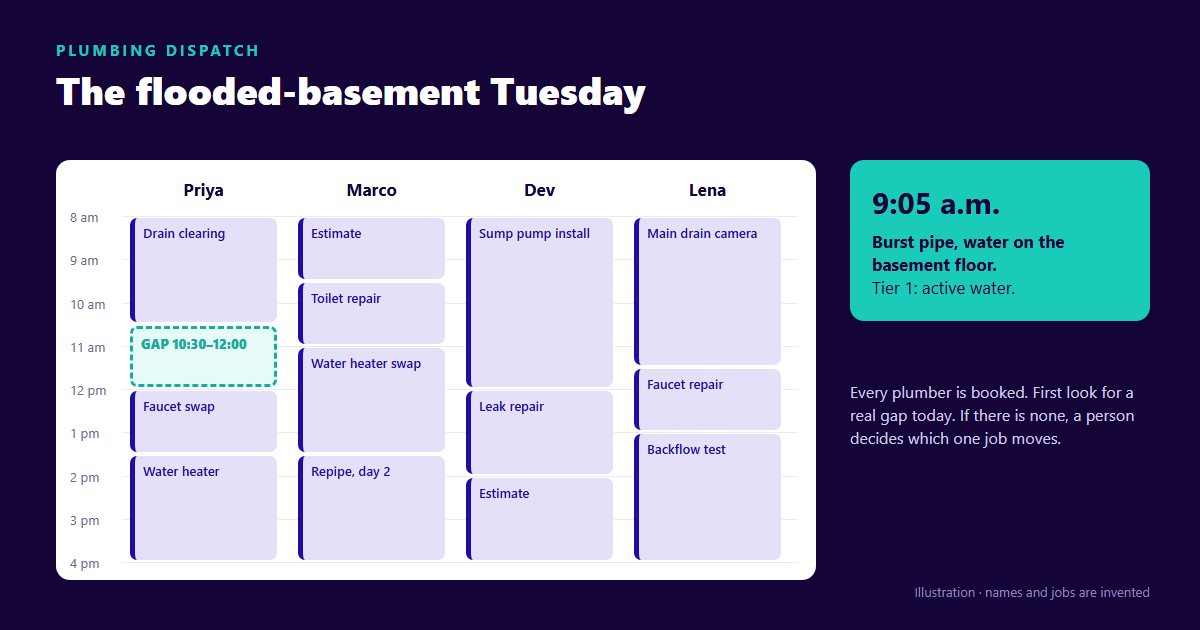
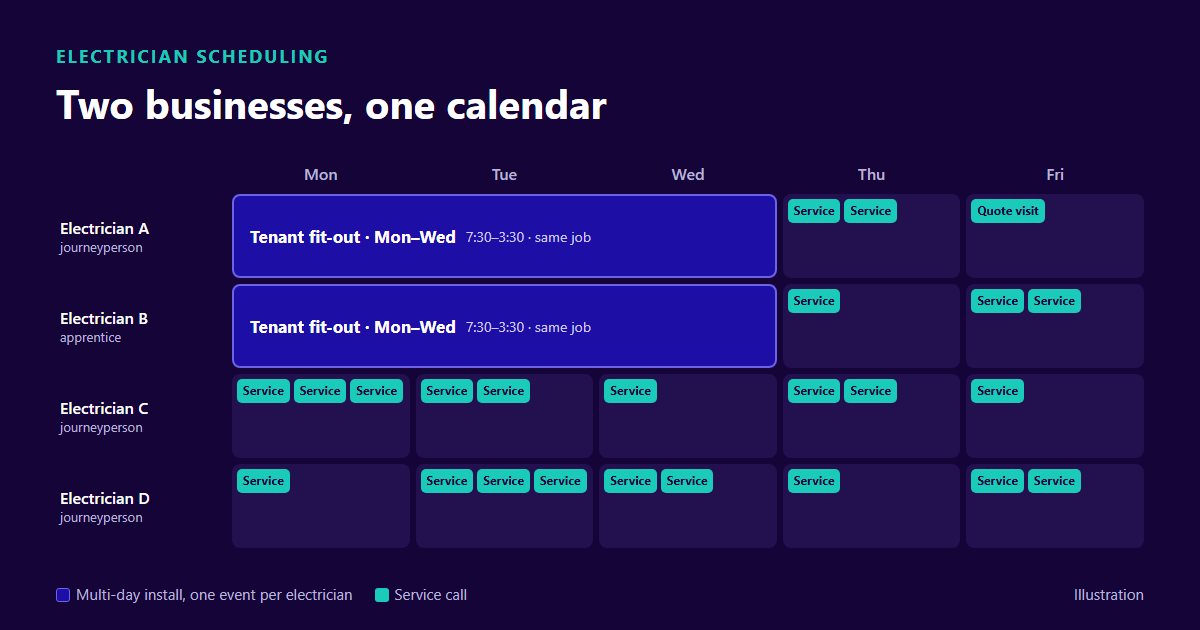
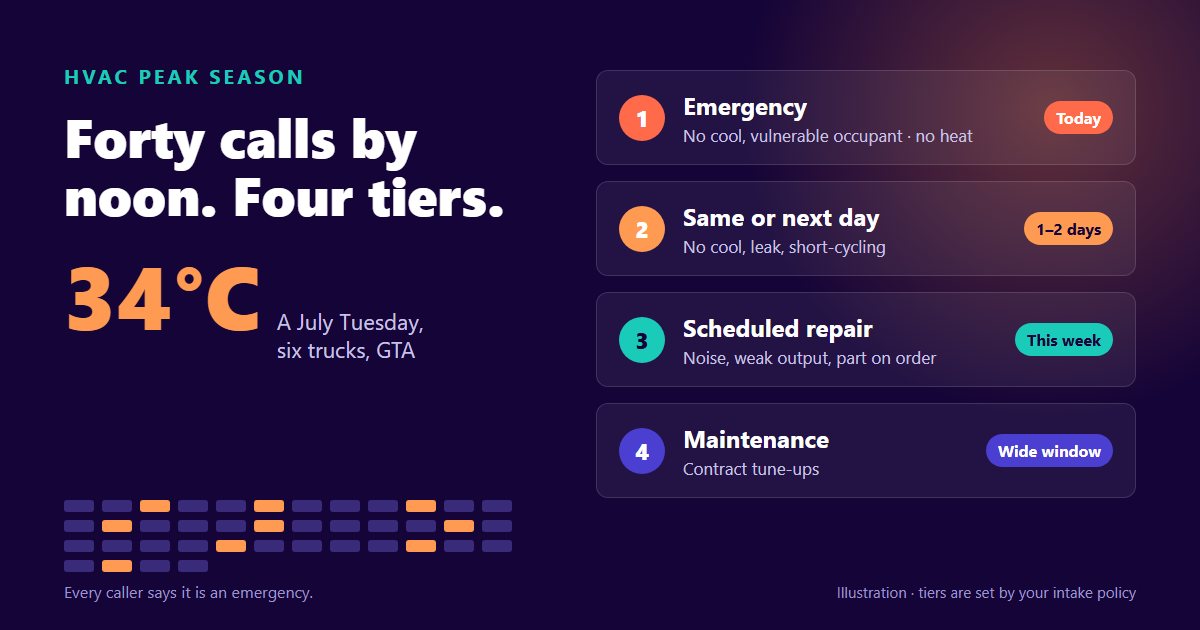
The symptoms look slightly different by trade — an emergency call wrecking an HVAC or plumbing day, a multi-day electrical install sharing a calendar with two-hour service calls, a cleaning round booked from memory — and we wrote up how dispatch plays out for each: HVAC, plumbing, electrical, cleaning, handyman and window coverings.
The Feature Landscape, Ranked
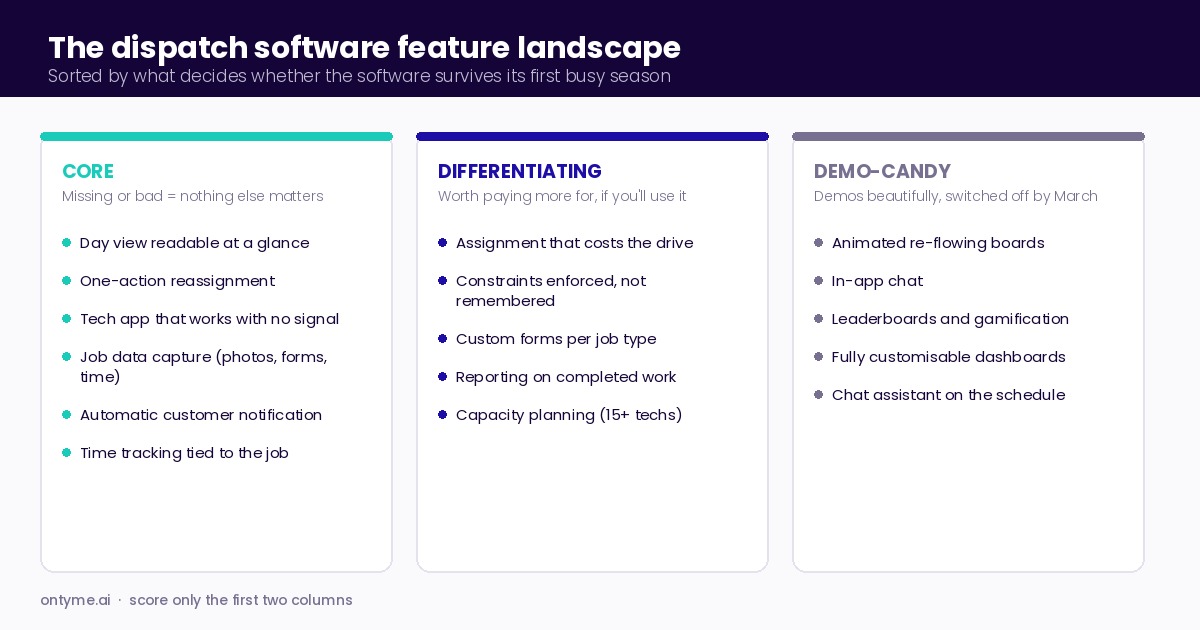
Every vendor's feature page is the same length, which is the problem. Here is the same landscape sorted by what actually decides whether the software survives its first busy season.
Core — if it is missing or bad, nothing else matters
- A schedule board you can read at a glance. One screen, one day, every technician. If your dispatcher has to scroll or click to see the whole day, the board has failed at its only job.
- Assignment that survives change. Moving a job should take one action and should not silently break anything else.
- A technician app that works in a basement. Coverage in the field is not the vendor's problem until it is yours. Ask specifically what happens to a form, a photo, or a completed job when the phone has no signal — and whether it is held on the device and sent later, or simply lost.
- Job data capture. Photos, notes, forms, time on site. This is the raw material for every report you will ever want.
- Customer notification. Confirmation and an arrival message. Two texts prevent most where-is-my-tech calls.
- Time tracking tied to the job, not to a separate timesheet app that nobody reconciles.
Differentiating — worth paying more for, if your operation is shaped to use it
- Assignment help that accounts for travel. Software that proposes a slot by actually costing the drive, rather than showing you an empty box on a grid.
- Constraint handling you do not have to remember. Vacations, statutory holidays, working hours, partial-day closures — enforced by the system rather than by your dispatcher's memory.
- Custom forms per job type. A furnace install and a warranty callback do not need the same eleven fields.
- Reporting on completed work. Hours, overlaps, late clock-outs, efficiency. Boring, and the only way you will ever price a job type correctly.
- Capacity planning. Real value at fifteen-plus technicians. Mostly theatre below eight.
Demo-candy — demos beautifully, gets switched off by March
- Animated drag-and-drop boards with live re-flowing. Gorgeous in a demo with six fake jobs. Unusable at forty.
- In-app chat. Your crew already has a group text they actually read. A second inbox is a second inbox.
- Technician leaderboards and gamification. Ask any tech what they think of these. The answer is consistent.
- Fully customisable dashboards. Someone configures them once, during onboarding, and never again.
- A chat assistant bolted onto the schedule. Being able to type "move Dave to Thursday" is a novelty if clicking Dave and picking Thursday takes two seconds.
The demo-candy list is not a list of bad features. It is a list of features that should not appear in your scoring, because they will not change your Tuesday.
What Dispatch Software Costs in 2026
The honest answer is that the category has three pricing models and comparing them by headline price is meaningless. Here is what the vendors who publish prices are actually publishing, checked on 12 September 2026.
Per-seat, with a small included allowance. Jobber lists Core at $49/month, Connect at $139 and Grow at $199, each including one user, with additional users at $29/month each; prepaid annual rates are lower ($29, $99 and $149 respectively). Housecall Pro lists Basic at $59 with one user, Essentials at $149 with five, and Max at $299 with eight, with additional users on Max at $35/month.
Bundled seats in tiers. Kickserv lists Start at $60/month for five users, Run at $119 for ten and Scale at $199 for twenty.
Flat rate, unlimited users. Service Fusion lists Starter at $245/month billed monthly ($208 on annual billing), Plus at $382 ($325) and Pro at $627 ($533), all with unlimited users.
OnTyme's own published price sits in the same place as everyone else's, so we will name it plainly: $50/month including ten team members, $5/month per additional user, 30-day free trial, custom Enterprise. It is on the pricing page where you can check it.
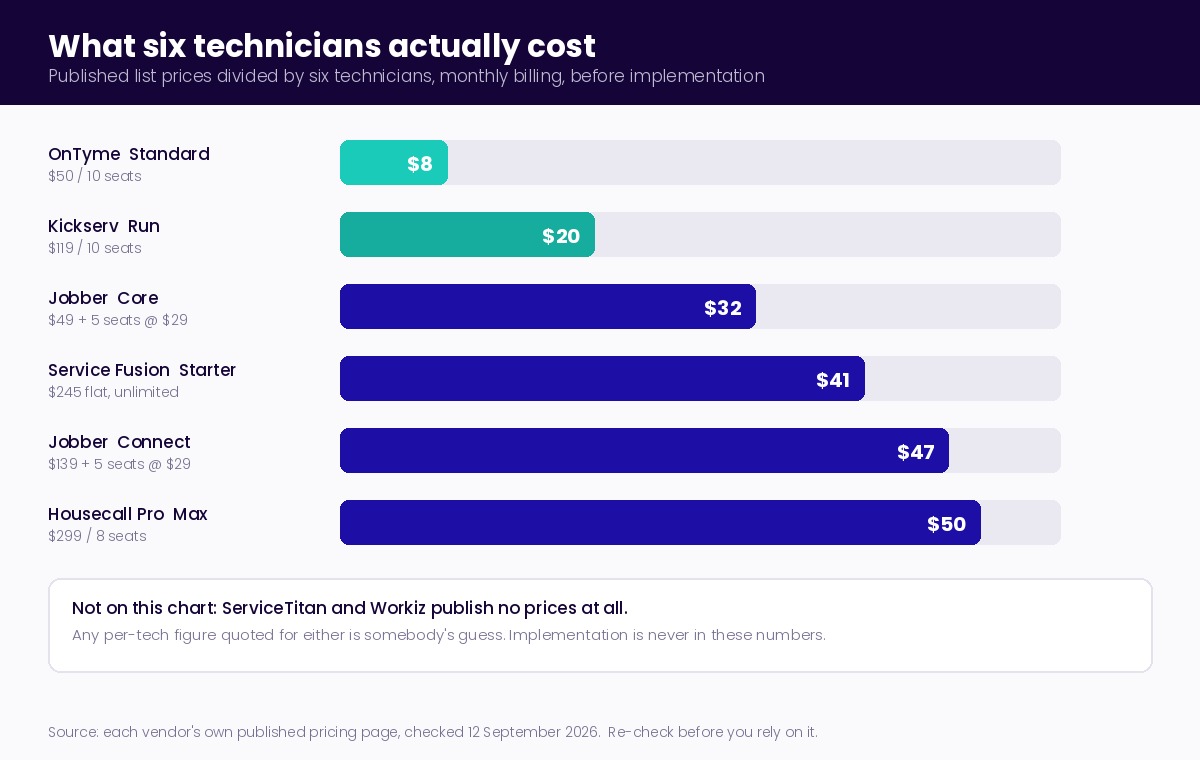
Now the number you came for. Take a six-technician shop and divide published list prices by six, monthly billing, before implementation:
- Kickserv Run — $119 for ten seats — about $20 per technician
- OnTyme Standard — $50 for ten seats — about $8 per technician
- Jobber Core — $49 plus five seats at $29 — about $32 per technician
- Service Fusion Starter — $245 flat — about $41 per technician
- Jobber Connect — $139 plus five seats at $29 — about $47 per technician
- Housecall Pro Max — $299 for eight seats — about $50 per technician
The band for a six-tech shop on published list prices is roughly $8 to $50 per technician per month. That is a six-fold spread inside one category, and the spread is mostly about seat models rather than capability.
Three caveats, all of which matter more than the band itself.
First, the two names you are most likely to be shown in a bake-off do not publish prices at all. ServiceTitan lists Starter, Essentials and The Works with a Request Pricing button on each, and Workiz shows Standard, Pro and Ultimate the same way. Any per-tech figure you see quoted for either on a comparison blog is somebody's guess. Treat unpublished pricing as a signal about the sales process you are about to enter, not as evidence about the product.
Second, published pricing quietly stops being computable at exactly the point you need it. A tier will tell you it includes five users and never tell you what the sixth one costs. Get the additional-seat price in writing before you compare anything.
Third, the subscription is not the cost. Implementation is: importing customer history, building your job types and forms, and the two to six weeks where your team is slower than it was. Nobody publishes that number because it is yours, not theirs. Budget it in hours of your own people's time and you will be closer than any TCO calculator will get you. If you want to put real numbers against the return side of that, we worked the arithmetic line by line for a six-technician shop in the ROI piece.
Prices move. Everything above is list pricing as published on those vendors' own pages on 12 September 2026, and it should be re-checked before you rely on it.
The Evaluation Playbook: Two Weeks, Start to Signature
A month of evaluation produces a worse decision than two focused weeks, because the extra time gets spent on features instead of on your actual schedule.
Days 1–2. Write down your worst Tuesday. Not a generic requirements list — one specific real day, from your actual history. The one with the cancellation at 8:10, the emergency call at 10, the tech who went home sick and the customer who had already been rescheduled twice. Write out what happened and what it cost you. This document is your entire evaluation.
Days 3–4. Shortlist three, not seven. Filter on the six core capabilities above and on your seat count at your real price. Three is enough to see the shape of the category, and it is the largest number you can genuinely test.
Days 5–8. Run the worst-Tuesday demo. This is the whole trick, so do not let it be skipped. Send the day to each vendor in advance and ask them to build it live in their product, then break it in front of you exactly as reality broke it. Watch for how many clicks the 10 a.m. emergency takes, whether the software tells the affected customer or whether that is still your phone call, and what the dispatcher has to remember that the system does not enforce. A vendor who wants to show you their dashboard instead is answering a question you did not ask.
Days 9–12. Trial with one real crew. Two technicians, one dispatcher, real jobs, parallel with your current system. A trial with fake data tests the demo, not the product. Insist on it even where it is not offered — the answer tells you something either way.
Days 13–14. Two reference calls, with better questions. Never ask a reference whether they like it. Ask: what did you stop using it for? What did onboarding actually take, in weeks? Which of your technicians still resists it, and why? Who at the vendor answers when something breaks on a Saturday?
The scorecard
Score each shortlisted product out of 5 on these nine lines, including us. There is no gated download here — copy the list into a document and use it on anyone.
- Dispatcher can see the whole day on one screen without scrolling
- Moving a job to another tech or time takes one action
- Technician app holds work when the phone has no signal, and sends it later
- The system enforces vacations, holidays and working hours without being reminded
- The customer is told about a change without the office making a call
- Job data capture matches how your job types actually differ
- You can get hours and completion data out without asking support
- Total published cost at your real seat count, including the additional-seat price in writing
- Onboarding time quoted in weeks, in writing, with who does the data import
Anything under 30 out of 45 will be abandoned by your team. That is not a threshold we can prove; it is what abandonment looks like in practice, and you will recognise it.
Why Dispatch Software Fails After You Buy It
Bought software that nobody uses is the most expensive outcome in this category, and it is more common than a bad purchase. The failure modes are consistent, and none of them are really about features.
The research on this is older than the category. Fred Davis showed in 1989 that two things predict whether people actually use a system they have been given: whether they believe it makes their work better, and whether they find it easy to use — and that the first one matters more (F. D. Davis, "Perceived Usefulness, Perceived Ease of Use, and User Acceptance of Information Technology," MIS Quarterly, Vol. 13, No. 3, 1989, pp. 319–340, DOI 10.2307/249008). Every failure below is one of those two going wrong for the people who have to type into it.
- No champion. The owner buys it, the dispatcher inherits it, and nobody owns whether it works. Prevention: name one person, give them time in the first month rather than praise, and let them decide the configuration.
- Dirty job data. Importing eleven years of duplicate customer records makes the new system feel worse than the old one on day one. Prevention: import the last eighteen months, deliberately, and let the rest live in the archive.
- Technician resistance. Usually rational. The app adds fifteen minutes to their day and gives them nothing back. Prevention: make sure something in it is for them — the address that opens straight into navigation, the form that replaces paperwork they hated, not just clock-in surveillance.
- Over-configuration. Twenty-eight custom fields configured in week one by someone who will not be filling them in. Prevention: launch with the smallest form that captures what you will actually read, and add fields only when their absence hurts.
- Running both systems forever. The whiteboard stays up "just in case" and becomes the real schedule again by February. Prevention: pick a date, take it down, and mean it.
Where AI Changes the Category
In 2026 the differentiator in dispatch software is no longer whether the board is pretty. It is whether the software helps decide the assignment, and how honestly the vendor describes what that help is.
The useful distinction is not whether something is AI — search and constraint optimization have been AI since the field had a name — but which kind you are being sold and what it needs from you. Optimization decides: it takes your constraints and a cost to minimise and returns an assignment, and it needs no training data, so it works on your first day with the product. Machine learning sharpens inputs: it learns how long your jobs really take, or how bad your drive times really are, from history you do not have yet. Both are legitimate. They fail differently, and a vendor who blurs them is worth slowing down for. We took this apart in the plain-English guide to AI scheduling and went under the hood in how it actually works.
Three questions separate real assignment help from a schedule grid with a suggestion button on it:
- What does it optimise for, in one sentence? A vendor who cannot answer this has not built an objective function; they have built a filter. OnTyme's answer is total travel time — the drive to the job plus the drive away from it — minimised across every feasible slot. One number, and we will say so.
- What does it refuse to do, and does it enforce or advise? Ask which constraints are hard. In OnTyme a recommendation will not be offered outside company working hours, on an approved vacation, on a provincial statutory holiday, on a company custom closure including partial-day ones, or on top of an existing job. Those are enforced, not suggested.
- Can it tell you why? Every OnTyme recommendation carries a plain-English line naming the gap it found and the travel arithmetic behind it. If a product cannot explain a suggestion in a sentence a dispatcher would say out loud, your dispatcher will not trust it, and untrusted suggestions get ignored — which is the same as not having them.
The same honesty applies to us. Three things OnTyme does not do, so you can ask every vendor the same questions and get comparable answers: it does not re-optimise the whole board — it places one job at a time, and a cancellation at 8:10 does not cascade into a rebuilt day; it does not sequence the order of a day's stops, which is a different problem from picking a slot; and it does not match technicians by skill or certification, so if your work genuinely requires that, make it a hard requirement and test it. There is also a documented edge: when travel plus job plus travel exceeds your whole configured workday, the end-of-day boundary stops being enforced, so very long jobs can be offered a slot that runs past closing.
Our technician app does hold a completed form on the phone when there is no signal and sends it once the connection returns — we mention it because it is the one thing on the core list that the most products quietly fail, and it is worth testing yourself rather than taking anyone's word for it, ours included. The user guide walks through what the app actually does, screen by screen, and the product overview shows the scheduling, dispatch and routing pieces on one page. If you want the wider picture of which parts of the field service AI stack are mature and which are still a demo, we rated the whole stack.
You now have the landscape, the published prices and the playbook. Run the worst-Tuesday script on us first — we book demos precisely because that test goes well. Talk to us.
Frequently Asked Questions
What does dispatch software do?
It holds the schedule of jobs and technicians, assigns work to a person and a time, delivers that assignment to the technician's phone with the job details, and notifies the customer. Most products add job data capture — photos, forms, time on site — and reporting on completed work. Anything beyond that is an extension of those four functions.
How much does dispatch software cost per technician?
On published list prices checked 12 September 2026, a six-technician shop lands somewhere between about $8 and $50 per technician per month, depending far more on the seat model than on capability: flat-rate unlimited-user products like Service Fusion start around $245/month, tiered-seat products like Kickserv start at $60 for five users, and per-seat products like Jobber and Housecall Pro build up from a low base plus $29–$35 per additional user. Two major vendors, ServiceTitan and Workiz, do not publish prices at all. None of these figures include implementation.
What features matter most in dispatch software?
A day view your dispatcher can read at a glance, one-action reassignment, a technician app that holds work when there is no signal, job data capture that matches how your job types differ, automatic customer notification, and time tracking tied to the job. If those six are weak, no amount of AI on top of them will help.
How long does dispatch software take to implement?
Plan for two to six weeks before it is the real system rather than a parallel one, and get the vendor's estimate in writing along with who performs the data import. The variable is rarely the software — it is how much customer history you insist on importing and how many custom fields you configure before launch.
Why do teams stop using field service software?
Because it does not make someone's work visibly better, or it is too awkward to use — the two factors Davis identified in 1989 and the two that still decide it. Concretely: no internal owner, dirty imported data, technicians who get extra typing and nothing in return, over-configuration in week one, and keeping the whiteboard up as a safety net until it quietly becomes the schedule again.
Is AI dispatch software worth it?
It is worth it if the vendor can tell you in one sentence what it optimises for, which constraints it enforces rather than suggests, and why it made a given recommendation. Optimization-based assignment pays off from day one because it needs no training data. Treat any claim of learning or prediction as a claim to be tested against your own history before you pay for it.