HVAC Scheduling Software: Peak Season Dispatching Without the Chaos
Every HVAC schedule built in April looks fine in April. Then the first heat wave lands, the phones light up before eight, and every caller is sure theirs is the emergency. HVAC scheduling software earns its price on that day, not on a quiet Wednesday in shoulder season.
This guide is for shops running three to twenty technicians: how to triage when everything is urgent, how to keep maintenance contracts from being bumped first, where certifications fit, and what to plan before the surge. OnTyme is the worked example, including where it leaves the decision to you.
One honest line first: software does not create capacity. Six technicians are six technicians on the hottest day of the year. Good scheduling allocates the hours you have to the calls that matter most, with less drive time between them.
The First Heat Wave Test
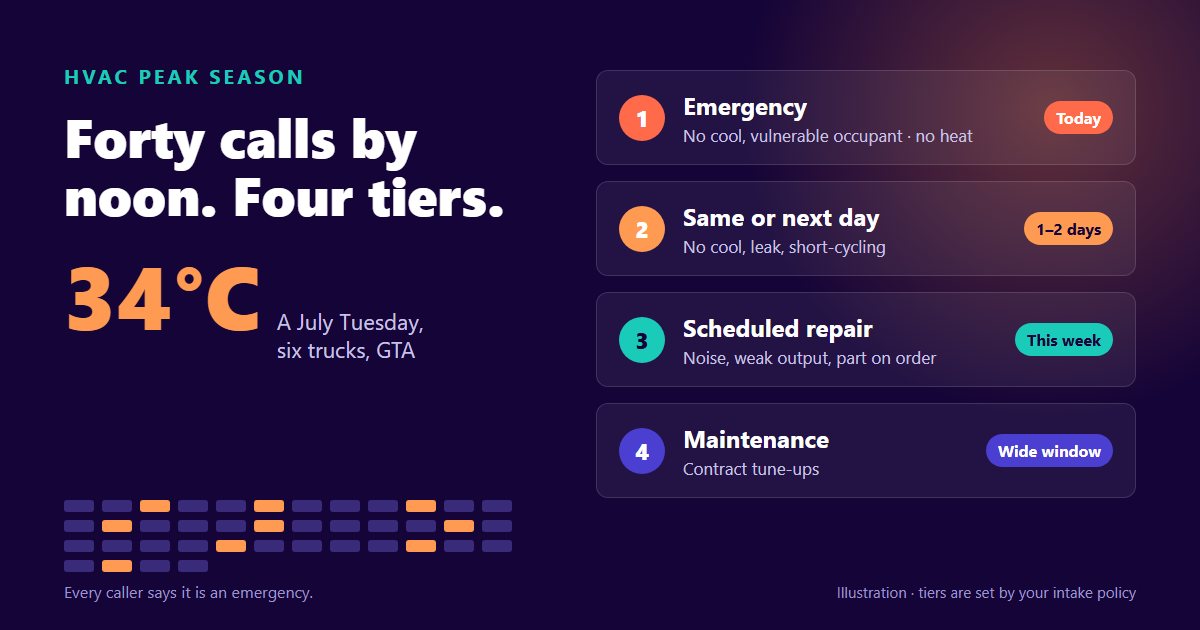
Picture a Tuesday in July, a 34°C afternoon forecast, and a six-truck shop in the GTA. By noon there are forty new calls on top of a board that was already full of booked installs and maintenance visits.
Manual triage breaks in predictable places. The dispatcher answers the loudest caller first, not the most urgent one. Maintenance visits get cancelled in bulk to make room, without anyone checking which customers they belong to. A technician gets sent across the city to a no-cool call while another tech sits twenty minutes away from it, because nobody had time to look. And by mid-afternoon, nobody can say which promises were made to which customers.
At root that is a policy problem that shows up on the board. The fix is a triage policy written down before July, and software that makes it easy to follow when the phones will not stop.
Priority Tiers That Hold Under Pressure
Most HVAC shops end up with some version of four tiers:
- Emergency, today. No cooling with a vulnerable occupant: an elderly customer, an infant, someone medically fragile. In heating season, no heat. These go out the same day, even if something else moves.
- Same-day or next-day. No cooling in an ordinary household, a system short-cycling, a leak. Urgent, but not dangerous.
- Scheduled repair. Reduced performance, noise, a part on order. Booked into the next open slot that suits the customer.
- Maintenance. Planned visits under contract. Flexible on the day, but not endlessly flexible, which is the next section.
The tiers only hold if the intake script asks the same questions every time. Who lives there? Is anyone at risk from the heat? Is the system running at all? Write the questions down and put them beside the phone. A tier assigned by a script survives a bad afternoon; a tier assigned by whoever sounds most upset does not.
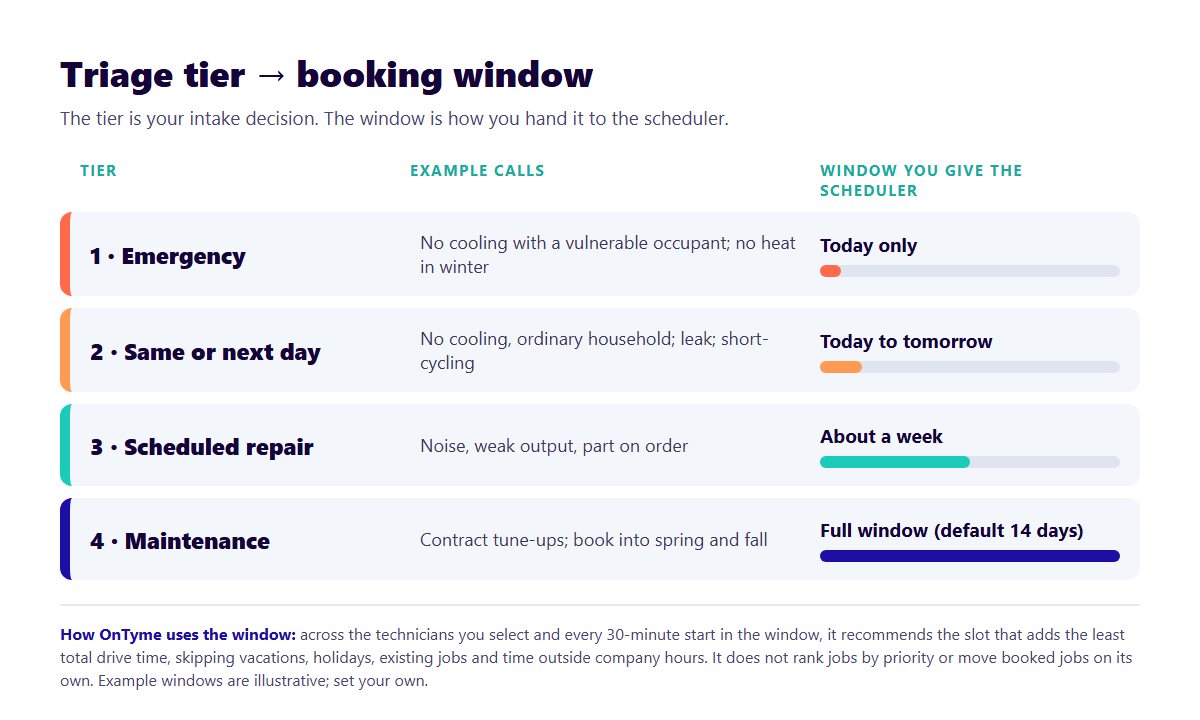
How the tier reaches the board in OnTyme
OnTyme does not rank jobs by urgency. There is no priority field the scheduler reads, and it will not move a booked maintenance visit to make room for an emergency on its own. The tier is your decision, and it reaches the scheduler in one concrete way: the date window.
When a dispatcher asks OnTyme's AI-Powered Scheduling for a recommendation, they give it the job address, the expected duration and a date range. The range defaults to the next fourteen days. Across every available technician and every 30-minute start in that range, the scheduler searches for the slot that adds the least total drive time, while skipping vacations, provincial statutory holidays, company holidays, existing jobs and anything outside company hours. On today's date it never offers a start time that has already passed.
So an emergency gets a window of today only, and the scheduler finds the technician and gap that day adding the least drive time. A maintenance visit gets the full two weeks, and the scheduler is free to tuck it into the cheapest gap on the map. Same engine, different window, and the window is where the tier lives. Each recommendation comes with a plain-English reason naming the gap it used and the drive time either side, so the dispatcher can see why before applying it. The mechanics are in how the scheduling engine works.
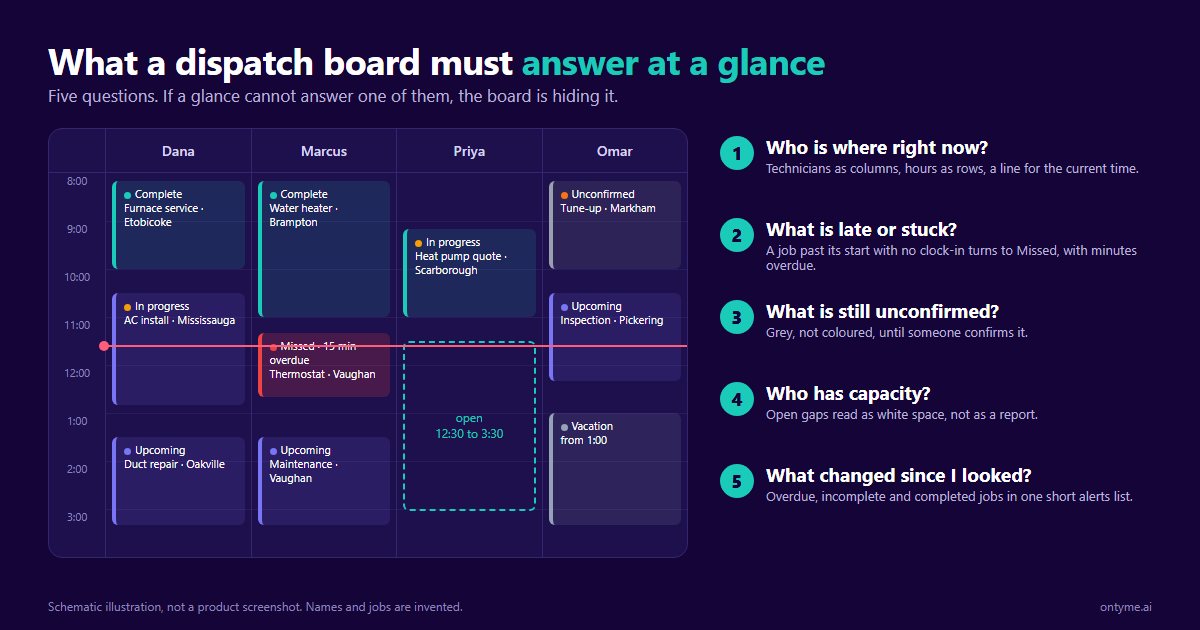
On the board, appointment types carry a colour the company sets, so "Emergency: no cool" can be red and "Maintenance visit" grey, and every job can carry a free-text tag the board filters by. That is labelling, not enforcement, but it makes the tier visible at a glance, which is the job of the dispatch board.
If another vendor says its software enforces tiers automatically, ask to see it live: an emergency added to a full board, and the system deciding on its own which booked job moves. Then ask who gets told.
Protecting Maintenance Contracts in Surge Season
A bumped tune-up costs nothing on the day. It costs something at renewal, when a customer rescheduled twice in July decides the plan is not worth it.
Three habits protect them:
- Book maintenance into the shoulder seasons. Spring for cooling, fall for heating. A visit done in May is a visit that cannot be bumped in July.
- Decide your surge rule in advance. For example: a maintenance visit can move once, by no more than a week, and the customer hears it from a person, not a form letter. Whatever the rule is, the dispatcher should not be inventing it at 2 p.m.
- Use the wide window. Because maintenance is flexible on the day, give the scheduler the widest window your contract allows. A visit placed in a low-drive-time gap two days out is cheaper to deliver than the same visit squeezed in today.
OnTyme has no capacity reservation feature; it will not hold back a share of a technician's day for contract work. Protected capacity is a policy the dispatcher keeps, and the appointment-type colours show how much of each day is already maintenance.
The contract-revenue math
We could not find a published Canadian figure for how much contract churn peak-season bumping causes, and we are not going to invent one. You can measure your own:
- Count last summer's maintenance visits that were rescheduled at least once.
- Count how many of those customers renewed, and compare it with the renewal rate for customers whose visit happened as booked.
- Multiply the gap by the number of rescheduled customers and your annual contract value.
That number is what a bumped visit costs, and it belongs next to the overtime figure below.
Skills and Certifications in HVAC Dispatch
Not every technician can take every call, and in Ontario some of the lines are drawn by law.
- Refrigerant work. To purchase and handle refrigerants in Ontario, a technician needs an Ozone Depletion Prevention (ODP) certificate card under Ontario Regulation 463/10. Training is offered by HRAI, the Heating, Refrigeration and Air Conditioning Institute of Canada, and the card is valid for five years from the date of issue (Ontario.ca, Certificate to handle refrigerants, updated 7 April 2026). The American counterpart is the EPA's Section 608 certification; it is not the Ontario requirement.
- Gas work. Furnace and gas appliance work falls under TSSA gas technician certification, and TSSA's own policy is blunt: "All technicians are required to work within the scope of the certificate/endorsement type they hold" (TSSA, Gas Technician/Oil Burner Technician Policies and Procedures, September 2025).
- Install versus service. Not a licence, but just as real: the fastest installer is not always your best diagnostician.
Keep a simple matrix: each technician, each certificate, each expiry date. An ODP card that lapsed in June is a problem you want to find in May.
What OnTyme does with it
OnTyme does not store certifications or match technicians to jobs by skill; the dispatcher does that. The tool is the Priority Installer picker on the recommendation screen, which limits the scheduler's search to exactly the technicians you select. For a gas call, select only the technicians whose certificates cover it, and the scheduler finds the best slot among them. An admin can flag technicians to come pre-selected, but who is qualified stays your matrix.
Surge Planning: Seeing the Wave Coming
OnTyme does not forecast demand. It has no weather feed and does not predict surge weeks from past jobs. Your forecast is Environment Canada's, and the planning is yours. What software can give you is a clear record of what last summer actually looked like.
OnTyme's admin reports show completed events, total working minutes, an efficiency score, overlap incidents and late clock-outs. Pull last July and August. Look for the weeks where working minutes spiked and late clock-outs followed; those are your surge weeks, and the late clock-outs are your technicians telling you the day was overbooked.
Overtime versus deferral
When the surge comes, every extra call is a choice between paying overtime and pushing work out. In Ontario, overtime begins after 44 hours in a work week and is paid at one and a half times the regular rate (Ontario.ca, Your guide to the Employment Standards Act: Overtime pay, updated 5 February 2026). At the Ontario median wage for HVAC mechanics of $37.00 an hour (Job Bank, NOC 72402, Statistics Canada Labour Force Survey, reference period 2023–2024), the overtime base rate is $55.50 an hour in Canadian dollars.
That is the wage alone. CPP, EI, WSIB, vacation pay and benefits sit on top, and there is no published Canadian ratio that turns the median into a loaded rate, so build that number from your own payroll. Then set it against the cost of deferral: the contract-renewal gap from the previous section, and the emergency calls that go to a competitor because you could not book them today. Decide the rule in May. In July you will not have time.
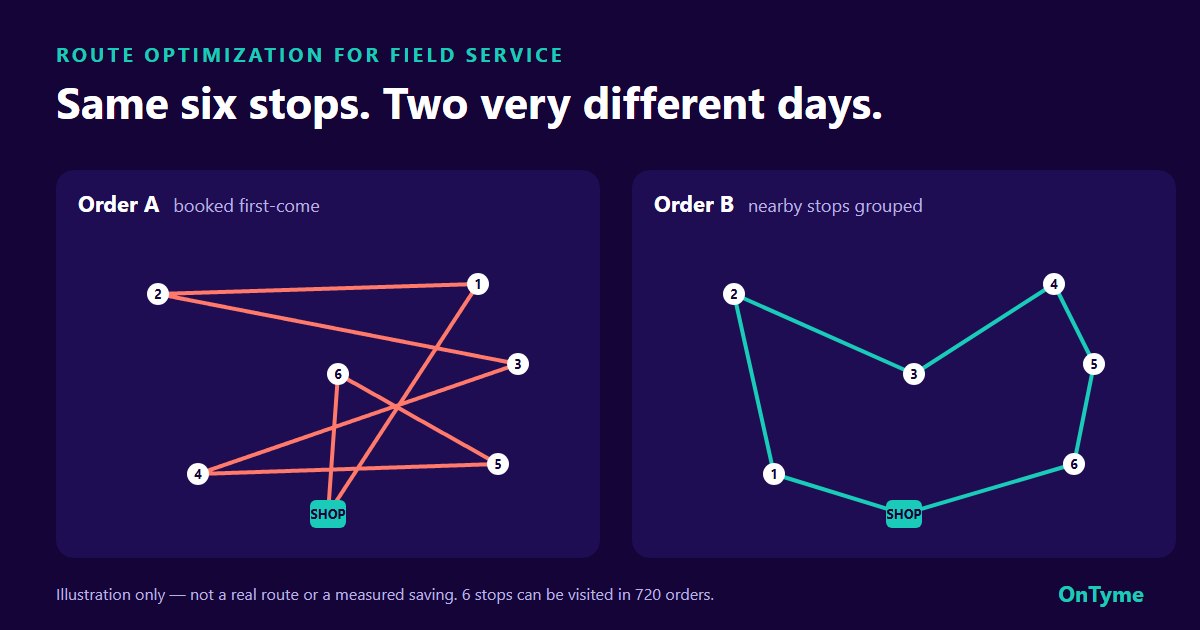
For the drive-time side of the surge arithmetic, see how much route optimization can actually cut.
After-Hours and On-Call Season
Heating season changes the stakes of an after-hours call. In Toronto, a landlord who pays for heat must keep every area of a rented unit at a minimum of 21°C from 1 October to 15 May (City of Toronto Municipal Code, Chapter 497, as amended by By-law 1395-2024). A no-heat call from a rental in January is a by-law problem for your customer, and they will treat it like one.
A fair on-call rotation is policy: publish it a month ahead, rotate it evenly, pay the premium you promised, and give whoever was up at 2 a.m. a later start. Surge burnout is how good technicians leave in October.
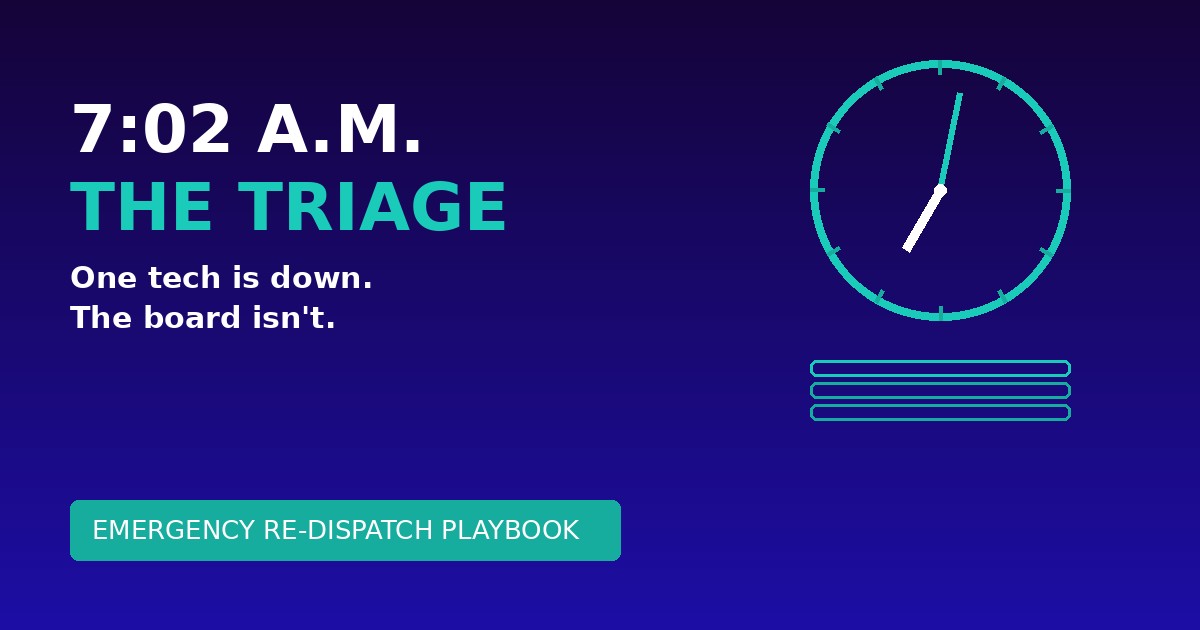
OnTyme's scheduler searches inside the company hours you set. It will not suggest an after-hours slot, so overnight emergencies are booked by hand on the board, then visible to everyone the next morning. Customer updates are also in human hands: the technician sends the customer an ETA text from the app, with running-late, early or on-time status and an expected completion time. The system sends appointment reminders and a feedback request after the job, but it does not notify customers automatically when a schedule changes. For the morning a technician calls in sick in the middle of all this, use the emergency re-dispatch playbook.
What Changes With OnTyme
On the forty-call Tuesday, OnTyme changes the part of the job that is arithmetic. A dispatcher enters the address and duration of each new call, picks the window that matches its tier and the technicians qualified for it, and gets back the slot that adds the least drive time, with a reason they can read and a constraint check they do not have to do in their head. That is the same calculation for the fortieth call as for the first, done in seconds, by a scheduler that needs no training data and works on day one.
What it does not change is the judgement:
- It does not decide which calls are emergencies. Your intake script does.
- It does not move booked jobs on its own to make room. It places one job at a time.
- It does not know who holds which certificate. Your matrix does.
- It does not forecast the heat wave or send the customer a text when the plan changes.
Shops that do well in July wrote the rules in May. For how OnTyme sets up for an HVAC team specifically, see OnTyme for HVAC; for other trades, see the industries we work with.
The heat wave is coming either way. Book a demo and bring last July's worst day as the script; we will run it through the scheduler with you.
FAQ
What is the best scheduling software for HVAC companies?
The one that fixes where your schedule breaks. If triage and drive time are the problem, look for a scheduler that checks availability and travel for every new call and explains its choice. Ask every vendor to run your worst day from last summer live.
How do HVAC companies handle peak season scheduling?
With rules written before the season: a tiered intake script, a surge rule for maintenance visits, a published on-call rotation and an overtime-versus-deferral decision. Software makes the rules faster to follow; it does not replace them.
How do you prioritize HVAC emergency calls?
Use a short intake script that asks who is in the home, whether anyone is at risk from the heat or cold, and whether the system runs at all. No cooling with a vulnerable occupant, or no heat in winter, goes out the same day. In OnTyme, that means giving the scheduler a window of today only.
Can scheduling software protect maintenance contracts?
It makes protection easier, but the protection is a policy: book maintenance into spring and fall, cap how often a visit can move, and give the scheduler a wide window. OnTyme does not reserve capacity automatically.
How do HVAC companies schedule on-call technicians?
With a rotation published weeks ahead, spread evenly, paid as promised, and followed by a later start after a night call. In OnTyme, after-hours jobs are booked by hand, because the scheduler only searches within the company hours you set.