Window Covering Installer Software: Scheduling Measures, Installs and Service Calls in One System
A customer who wants a measure this week books with whoever can come this week. The install on the same calendar might be fourteen zebra shades on a concrete header, and the warranty call that just came in is a two-minute adjustment across town. Window covering installer software has to treat those as three different jobs, because they are.
This guide is for blinds and shades retailers, dealers and install crews. OnTyme is the worked example, and it comes from this trade. We say plainly below which parts it handles and which stay with your office.
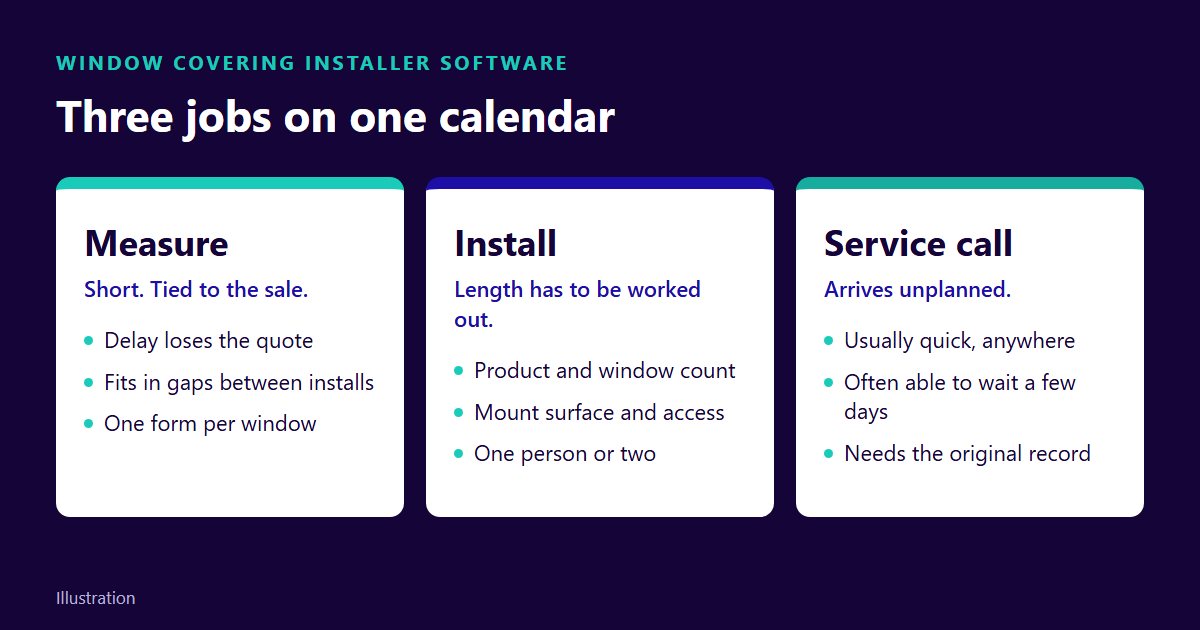
Three Jobs, Three Physics
A generic calendar gives every appointment the same shape: a name, a start and an end.
- The measure is short and tied to the sale. The customer is often still comparing quotes, and every extra day gives someone else time to get there first.
- The install has a length you have to work out. Product type, window count, mount surface and ceiling height all change it, and a bad guess damages the rest of the day.
- The service call arrives unplanned. A shade that won't hold its position, a bracket that shifted, a remote that lost its pairing. It is usually quick, but it can be anywhere.
Put all three on a board with the same rules and each one fails differently: measures get pushed out by installs, installs overrun into the afternoon, and service calls either wreck a good route or wait for weeks.
Measures: Speed Is Revenue
We have found no neutral published figure for how much measure speed moves close rate, so here is how to get your own. Take the last three months of quotes. For each, count the days from first enquiry to the measure visit, then split the list into sold and lost. If the lost jobs waited longer, you now know what a slow measure costs you, in your market, at your prices.
Then write a standard, such as a measure within a set number of days of the enquiry, and hold capacity to it.
Fitting measures between installs
A measure is the job most likely to fit in a gap. OnTyme's AI-Powered Scheduling works one job at a time: enter the address, the expected length and a date window, and choose which people to consider. It checks their open time in 30-minute steps, between jobs and at either end of the day, skips anything that clashes with a booking, a day off, a holiday or company hours, and recommends the slot with the least total drive time, with a plain-English reason. The mechanics are in how the scheduling engine works.
The date window is your speed control. It defaults to two weeks, and the scheduler minimises drive time, not days until the visit. Left wide, it may prefer next Thursday because the drive is shorter. For a hot lead, narrow the window to the next two or three days.
Getting the measure right the first time
A speedy measure that needs a second visit is not speedy. OnTyme's forms belong to an appointment type, and the one template built into the product is called Window Shades: width, length, depth, inside or outside measure, lateral, ceiling or wall mount, mounting surface (tile, concrete, drywall, wood), control side and end caps. Change it to suit your line. A mixed-number field type accepts 30 3/8 as typed, so nobody converts fractions on a ladder.
Three settings are worth the time:
- Turn on Allow Multiple Forms. The installer submits the same form once per window, so a twelve-window house gives you twelve records instead of one crowded note.
- Make the fields you order from required, including a photo where the opening is unusual.
- Write down which measurement this is. Many suppliers take the inside-mount deduction at the factory, and a width that has already been deducted gets deducted twice. Your form should state whether the number is the opening or the blind, and your supplier's chart decides the rest.
In the installer's app, a form that can't sync in a basement or a new build is saved on the device and sent when the connection returns. Submissions export to XLSX or go by email from the event, which is how they reach your order desk or your supplier.
Add cords to the conversation at this visit. Canada's Corded Window Coverings Regulations (SOR/2019-97, in force 1 May 2021; Justice Laws text current to 19 October 2026) limit a reachable cord with one free end to 22 cm. If a customer asks for a corded product they remember from years ago, check with your supplier what is available before you promise it.
Installs: Estimating Duration Right
Install length is a sum of things your office already knows, or should:
- Product. Roller shades, zebra shades, cellular shades, verticals and drapery hardware each take a different amount of time per opening. Long drapery tracks and motorised shades that need pairing usually sit at the slow end, but your own clock should decide.
- Window count. The obvious driver, and the one people stop at.
- Mount and surface. Wood and drywall go quickly. Concrete and tile mean different bits and more care.
- Access. Ladder height, stairwells, furniture in the way, and whether old treatments must come down first.
- People. Anything too long or heavy for one person changes the booking, not just the estimate.
Build your own numbers
We won't print a minutes-per-window figure. We've found no neutral source for one, and your products, crews and houses would make it wrong anyway. You can build a better one in about a month:
- Add a window count and product type to your install form.
- Have installers clock in and out on every job. OnTyme records each session on the event.
- After twenty or so installs per product family, divide clocked minutes by window count.
- Keep the outliers in a separate note: concrete, high ceilings, removals. Those become your add-ons.
- Write the result on one page and quote install lengths from it.
The admin reports show a late clock-out count and an efficiency score comparing planned time to clocked time, per installer or across the company. They don't split by product, so the per-product numbers come from your own sheet. A falling score tells you the sheet is out of date.
What OnTyme does with that estimate
OnTyme does not calculate install length from product or window count. It has no field that links the two. Your office works out the number, and the dispatcher enters it in hours when asking for a recommendation. It is rounded up to the next half hour.
Appointment types give each job its own colour and form on the board, but the scheduler doesn't read them. Measure, install and service all go through the same search. What differs is the length and window you give it.
One limit matters for large jobs. When a single job plus travel is longer than the working day, the scheduler can return a slot that runs past closing. Book anything that long by hand as a multi-day event, and if it finishes early, move the end date back to free the remaining days.
Two-person installs
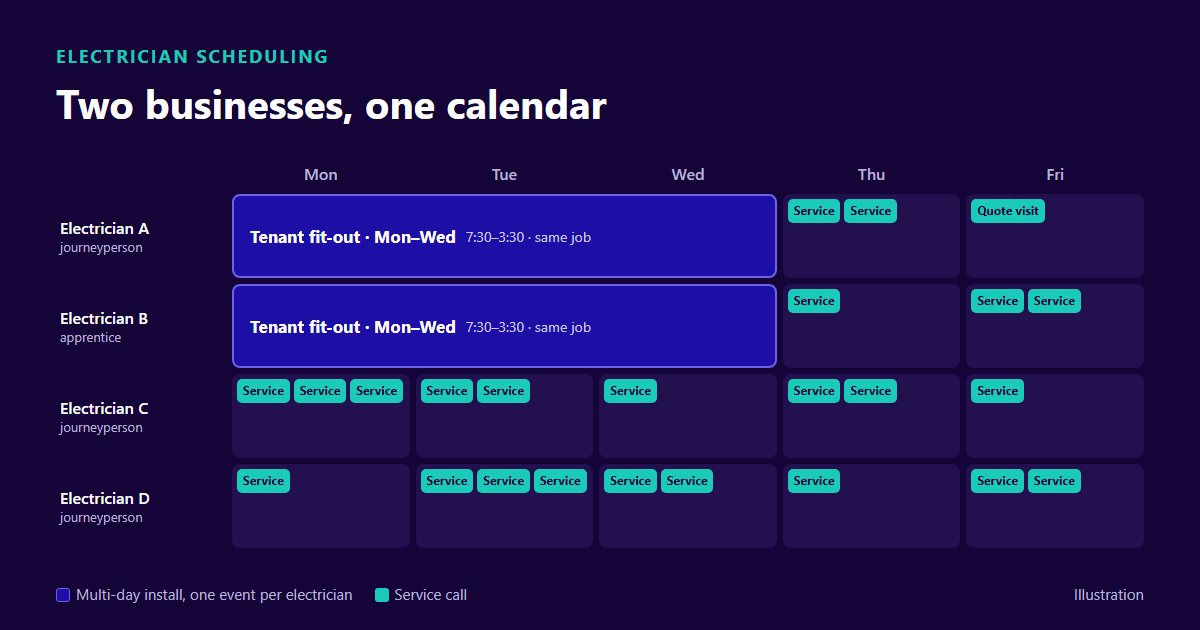
Each OnTyme event has one assignee, so a two-person install is two events on the same job, one per person. The scheduler looks for one person at a time and will not find a slot where both are free. Run it for the lead installer, then check the second person's column on the board and book them for the same time. Both clock in separately, which also tells you what the job really cost in labour hours. The multi-day crew section of our electrician guide goes further on this pattern.
The Measure → Production → Install Chain
The expensive mistake is booking an install against a ship date that then slips. You promised Tuesday and the product isn't here.
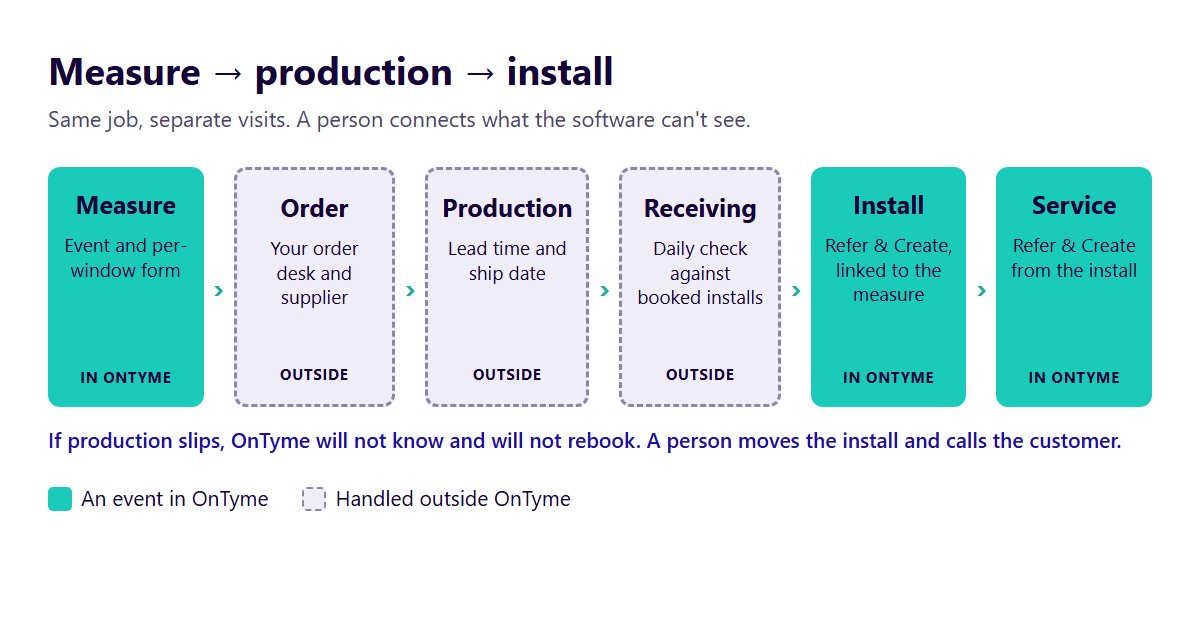
OnTyme doesn't track orders, production or ship dates, and it doesn't connect to a supplier. It will not know a shipment slipped or rebook the install if one does. So this part is office discipline:
- Keep the whole job together. Create the customer and job once. From the measure, Refer & Create Event starts a new event on the same job linked to the first. The install shows a Reference Event row that opens the measure, with its widths and photos, and exporting or emailing the install's forms includes the measure's.
- Date the install from product in hand, or from a promise you trust. Your supplier's lead time, plus a buffer you've earned from their record, not from their brochure.
- Use the unconfirmed state on purpose. An event saved as unconfirmed shows that way on the board, so a date you're holding for a customer looks different from a date you've promised. The scheduler still treats it as booked time, so the installer's day stays protected.
- Keep one receiving check. Each morning, someone compares what arrived with what's booked in the next few days and calls about anything missing.
What the customer hears
For an appointment booked as confirmed, OnTyme queues email reminders three days and one day before. If the event has since moved, was unconfirmed or was deleted, the queued reminder is skipped rather than sent with the wrong date.
No message goes out automatically to tell the customer about a move. When production slips, a person calls. Saving a confirmed event from the event form then offers to email the current date and time. Reminders are queued only when the booking is first saved as confirmed, so a date confirmed or moved later relies on that email.
On the day, the installer taps Send ETA and the customer gets a text with the arrival time. If another vendor tells you its software reschedules installs when production slips, ask to see it live with a real supplier delay: which job moves, what the customer receives, and who approved it.
Service Calls Without Chaos
A shade that drifts can often wait a few days if the customer knows when you're coming. So give service calls a wide date window. Because the scheduler minimises drive time, a wide window tends to place the call in a gap near work already booked, which gives you much of the benefit of batching by area. It doesn't re-order a day that's already booked, as our route optimization guide explains, and it won't reserve time for you. If you want a service allowance each week, that's a policy you hold on the board.
Rules that keep service from wrecking an install day:
- Triage on the phone. Ask for a photo or video first. Some remote and limit-setting problems can be fixed by talking the customer through them.
- Use Refer & Create from the original install, so the visit sits on the same job with the original record available. Add a free-text tag such as "warranty" to filter by on the board.
- Bring the part. Pull the original form before booking, so the installer arrives with the right bracket, cassette or chain.
- Reserve same-day service for what's really stuck, such as a shade that won't close in a bedroom or one that has become a safety problem. Then narrow the window to today and book the earlier gap yourself if speed matters more than the drive.
Window Covering Installer Software, Born in This Trade
OnTyme began inside a Toronto window covering manufacturer's install network, scheduling real measures and real installs before it had a name.
You can still see that in the product. The field role is called installer. The one form template it ships with is Window Shades. The help text for submitting a form more than once uses "10 shade installations" as its example. The window covering page covers the same workflow from the product side.
That origin doesn't mean the product does everything in this article by itself, and we'd rather tell you where the software stops than have you find out mid-install.
Schedule a demo and bring a real week of measures and installs.
FAQ
What software do window covering installers use?
Many still use a shared calendar and text threads, sometimes alongside quoting or order software. Window covering installer software adds the field side: booking, job forms, drive time and arrival messages. Check whether it also handles your quotes and orders. OnTyme doesn't, so keep those where they are.
How do you schedule blind installation jobs?
Work out the length from product, window count, surface and access, then look for a slot that fits. In OnTyme, enter that length with the address and a date window, and it recommends the person and time with the least drive. Two-person jobs are booked as one event per person.
How long does a window covering install take?
No neutral published figure exists, and it varies by product, surface and access. Have installers clock in and out, divide clocked minutes by window count for each product family, and quote from that.
How do you schedule measures and installs together?
Keep them on one job and give them different date windows: tight for measures, and for installs, set by product in hand or a ship date you trust. In OnTyme, Refer & Create starts the install from the measure and keeps the two linked.
What is the best software for a window treatment business?
The one that matches where your problem is. If it's quoting and ordering, look there first. If it's measures, installs and service fighting for the same people, look for per-window forms, drive-time-aware booking and clocked actuals, then ask each vendor to run your own messiest week live.
We didn't study this trade. We scheduled it, daily, inside a working installer network. If your calendar mixes measures, installs and service calls, see how OnTyme handles them.